01
Overview
01
Overview
01
Overview
Rethinking Map experience
Akamai accelerates content delivery and protects websites from cyberattacks.
Guardicore, now part of Akamai, uses micro-segmentation to limit hacker movement inside networks.
Akamai accelerates content delivery and protects websites from cyberattacks.
Guardicore, now part of Akamai, uses micro-segmentation to limit hacker movement inside networks.
Timeline
Q2 - 2025
Role
Product Designer
Project type
UI / UX Design
Skills
Discovery
Ideation
Product
User flows
Data Visualization
Data Visualization
Discovery
Team
Director of Product Design, In-house Senior Product Designer, Product Management and Sales Teams.
Context
Akamai’s Guardicore Segmentation “Reveal Map” visualizes how servers, devices, and applications communicate across an organization, helping security and IT teams monitor traffic and define segmentation policies that reduce lateral movement risk.
Problem
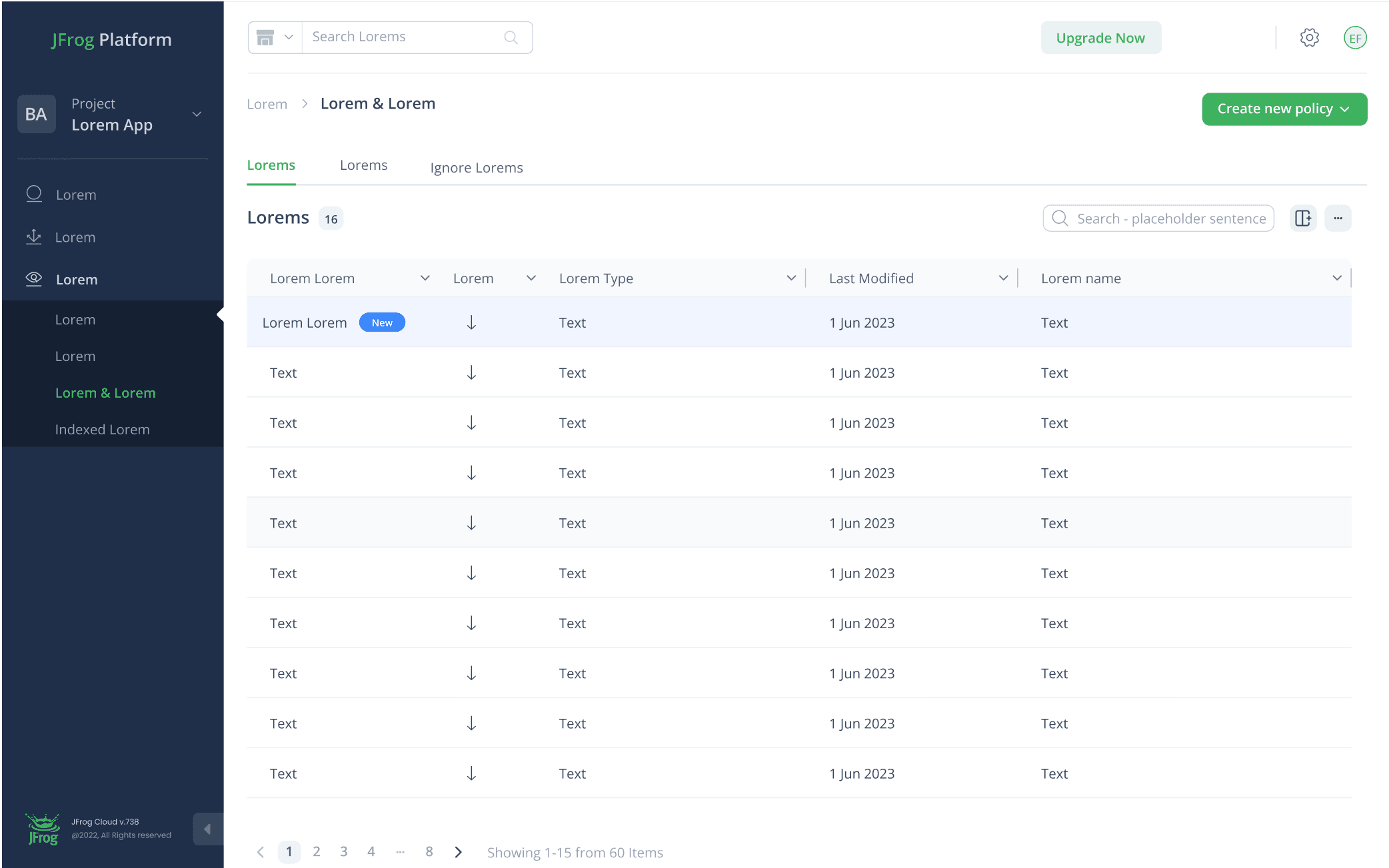
The existing interface had grown cluttered and visually outdated, making it harder for teams to quickly understand dependencies, spot issues, and confidently configure policies in complex environments.
The initiative of this project began with comprehensive research conducted by the original Akamai team, which provided us with insightful findings to guide our design process.
Visuals misaligned to brand
Visuals misaligned to brand
Visuals misaligned to brand
The map UI no longer reflected Akamai’s current visual language.
The map UI no longer reflected Akamai’s current visual language.
Need strong, scable data design
Need strong, scable data design
Need strong, scable data design
The interface had to handle very large, complex datasets.
The interface had to handle very large, complex datasets.
Fragmented screen layout
Fragmented screen layout
Fragmented screen layout
Critical tools and insights were scattered across the screen.
Critical tools and insights were scattered across the screen.
02
The Goals
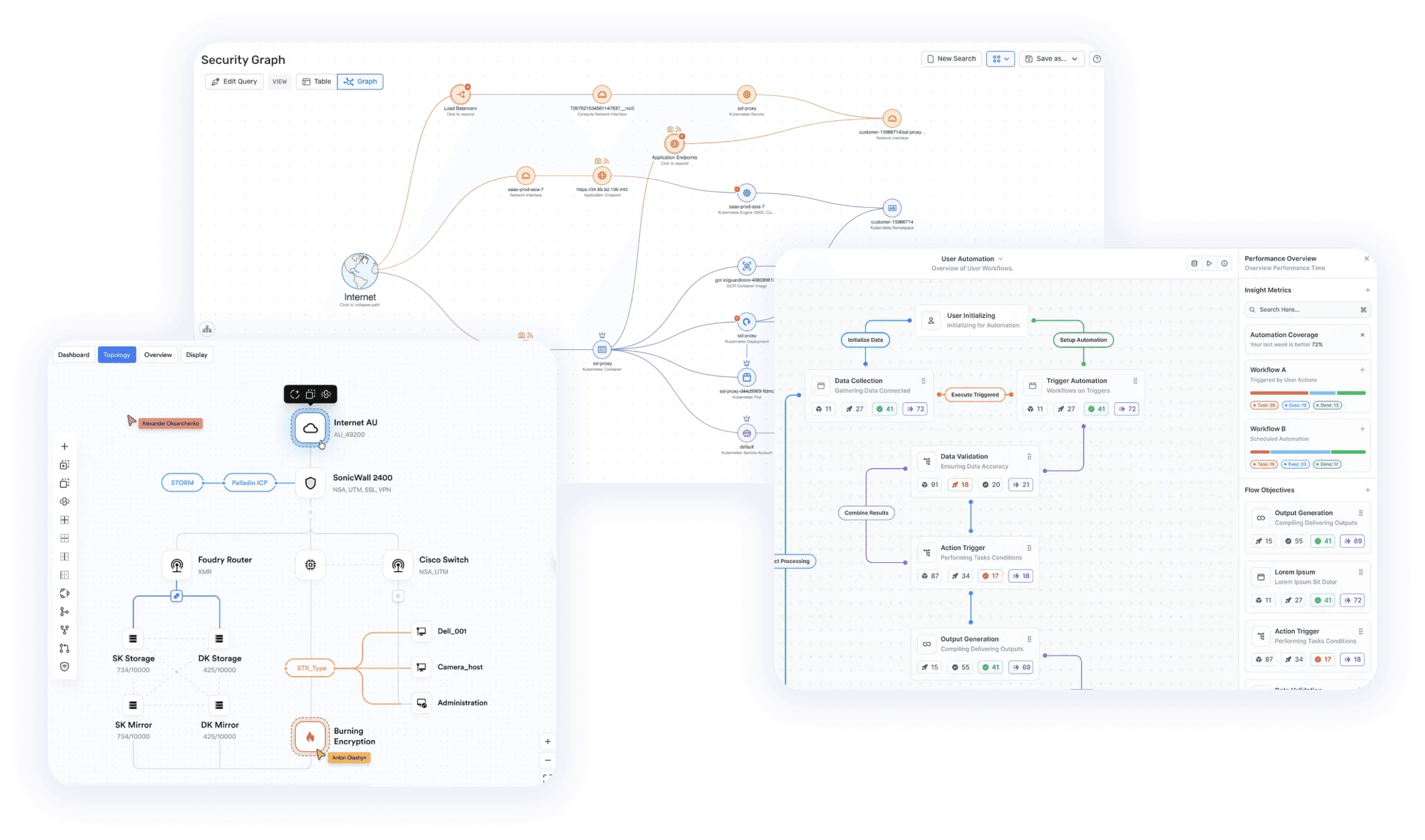
I analyzed leading competitors like Wiz to identify intuitive UI/UX patterns, driving a more
seamless experience.
We analyzed leading competitors like Wiz to identify intuitive UI/UX patterns, driving a more seamless experience.
03
Competitor Analysis
Key insights
Key insights
Solutions
Solutions
The side panel acts as a flexible, floating component that users can easily move and resize according to their individual needs.
The side panel acts as a flexible, floating component that users can easily move and resize according to their individual needs.
In the current design, the side panel is fixed and pushes all the information into a narrow space, which unfortunately reduces the size of the network map and limits visibility.
In the current design, the side panel is fixed and pushes all the information into a narrow space, which unfortunately reduces the size of the network map and limits visibility.
Most elements look alike, making it hard to distinguish node categories at a glance and slowing users down as they rely on labels instead.
Most elements look alike, making it hard to distinguish node categories at a glance and slowing users down as they rely on labels instead.
Competitors use vibrant color palettes to distinguish node groups, making maps easier to scan and understand at a glance. This approach simplifies analysis and improves the overall user experience.
Competitors use vibrant color palettes to distinguish node groups, making maps easier to scan and understand at a glance. This approach simplifies analysis and improves the overall user experience.
Tools and features are dispersed across the page without clear grouping or hierarchy.
This scattered layout disrupts user focus and forces additional searching.
Tools and features are dispersed across the page without clear grouping or hierarchy.
This scattered layout disrupts user focus and forces additional searching.
Competitors group related tools logically, creating a smooth, intuitive flow.
Competitors group related tools logically, creating a smooth, intuitive flow.
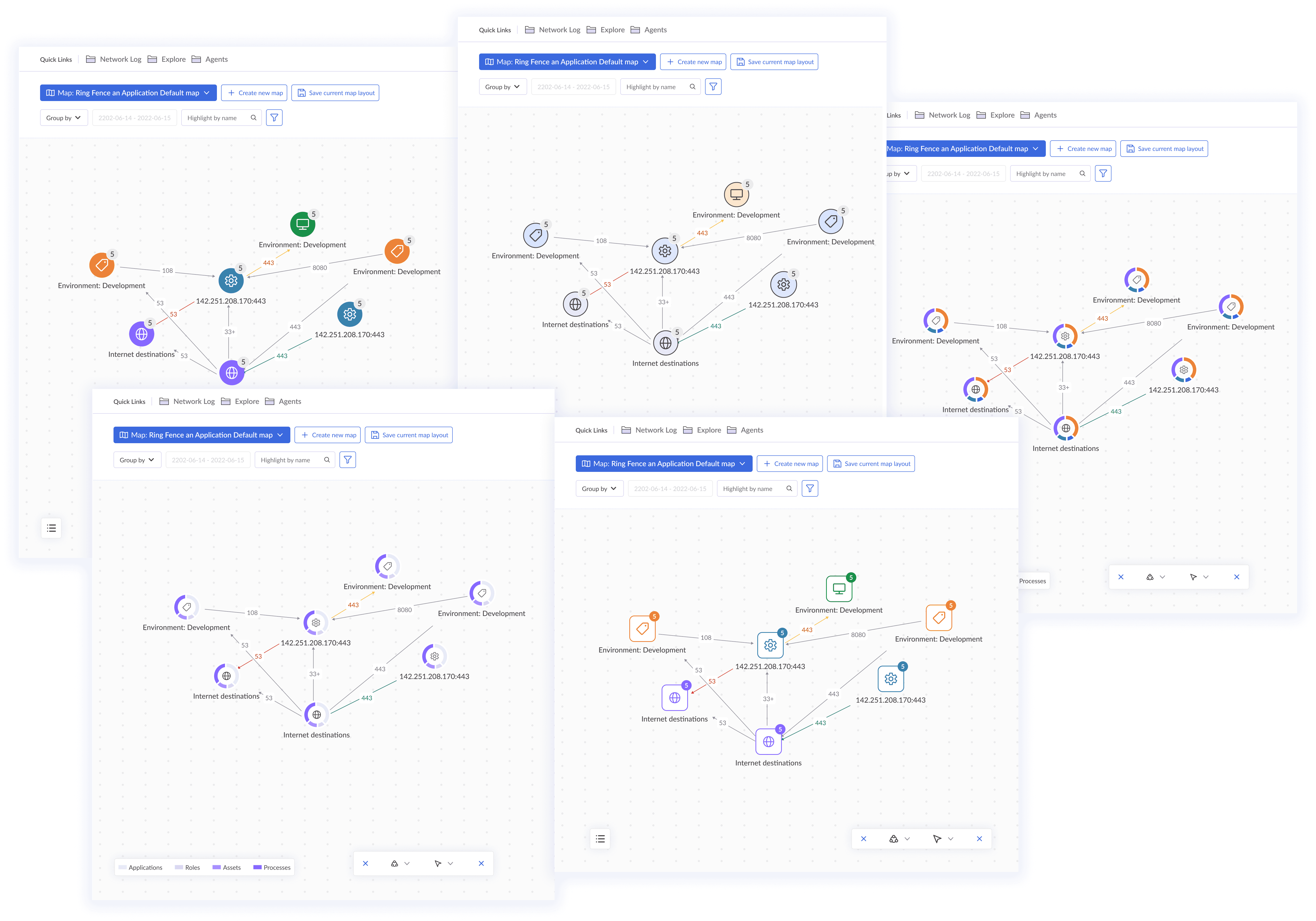
I explored multiple UI directions, collaborating early with developers for efficient implementation.
I explored multiple UI directions, collaborating early with developers for efficient implementation.
Brainstorming & Stakeholder reviews
Brainstorming &
Stakeholder reviews
I gathered stakeholder feedback from PMs, tech leads, and sales leader, aligned direction, and delivered production-ready assets with final refinements.
I gathered stakeholder feedback from PMs, tech leads, and sales leader, aligned direction, and delivered production-ready assets with final refinements.
04
UI directions
Toolbar Icon Updates
Toolbar Icon Updates
Redesigned icons to match design system style for cohesive interface
Moved layout button to bottom toolbar, grouping related options and reducing clutter
Isolated navigation and selection icon buttons from action tools
Redesigned icons to match design system style for cohesive interface
Moved layout button to bottom toolbar, grouping related options and reducing clutter
Isolated navigation and selection icon buttons from action tools
Before

After

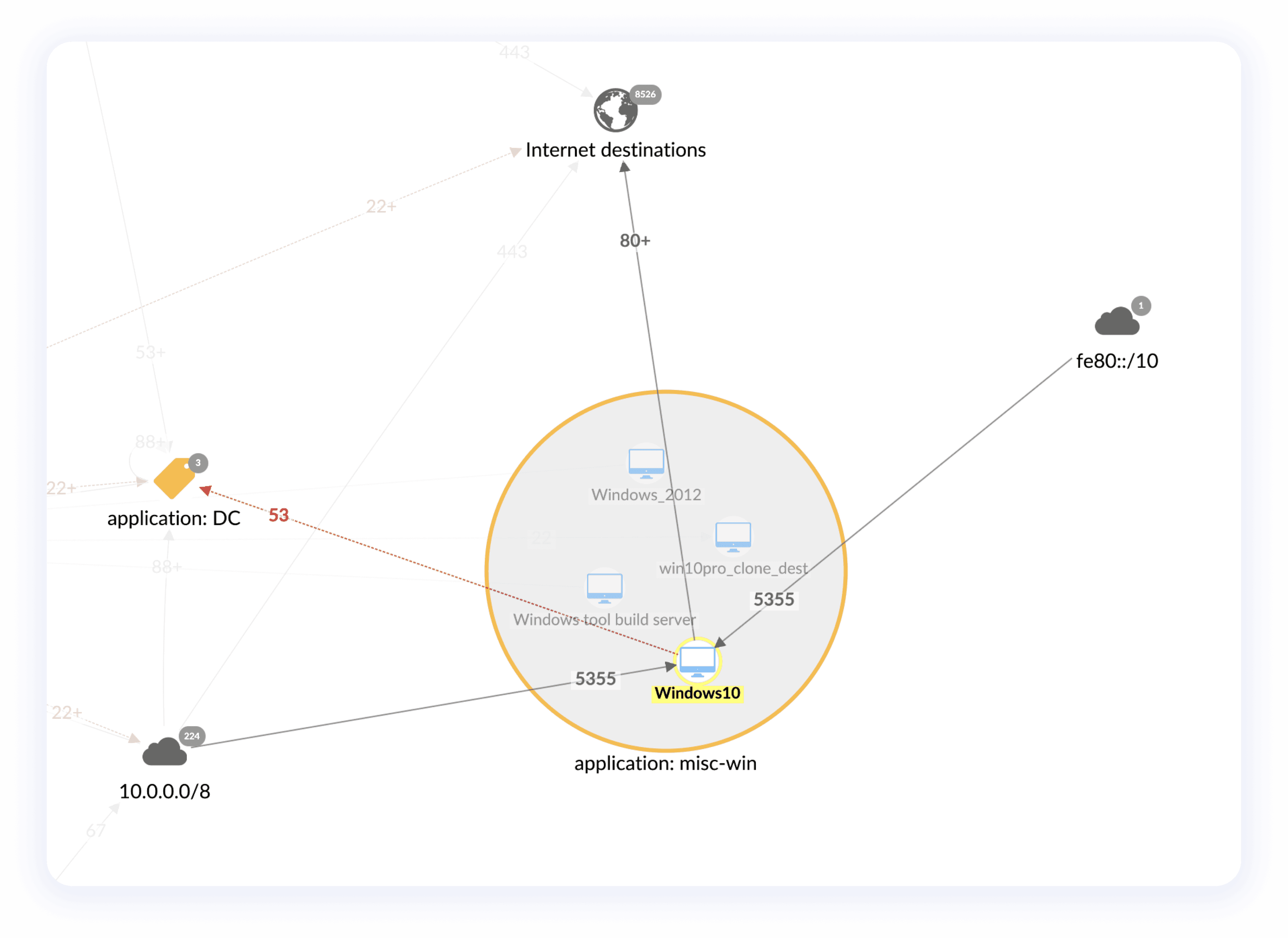
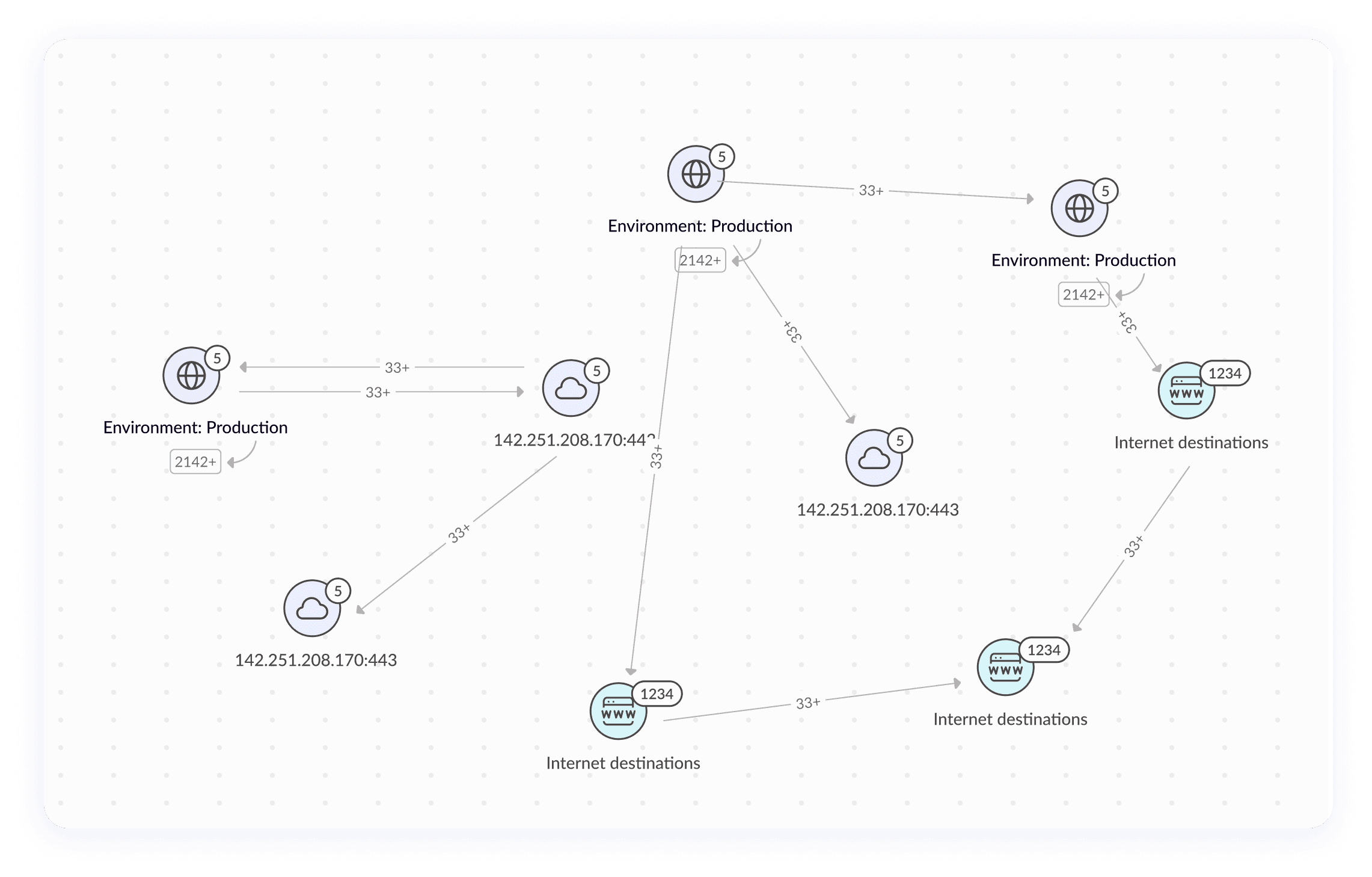
Clarified Node Identity and Refined Background
Clarified Node Identity and Refined Background
A brand-aligned palette now clearly separates node groups, while subtle background colorspatterns improve scanability without competing with the data.
A brand-aligned palette now clearly separates node groups, while subtle background colorspatterns improve scanability without competing with the data.
Before
After
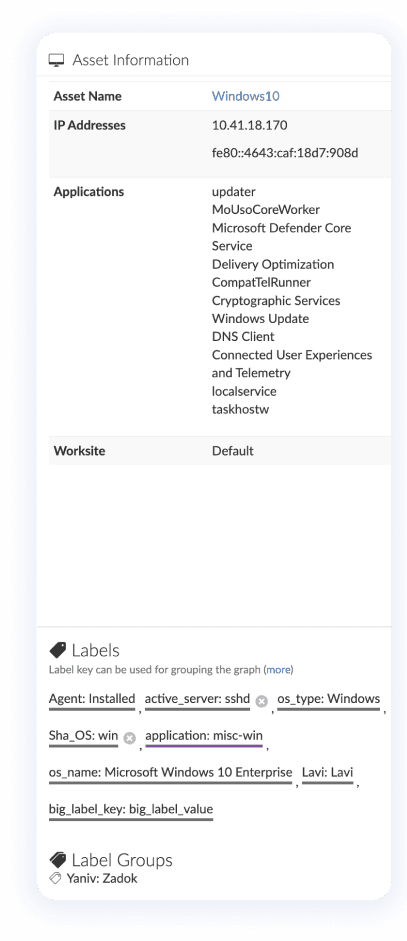
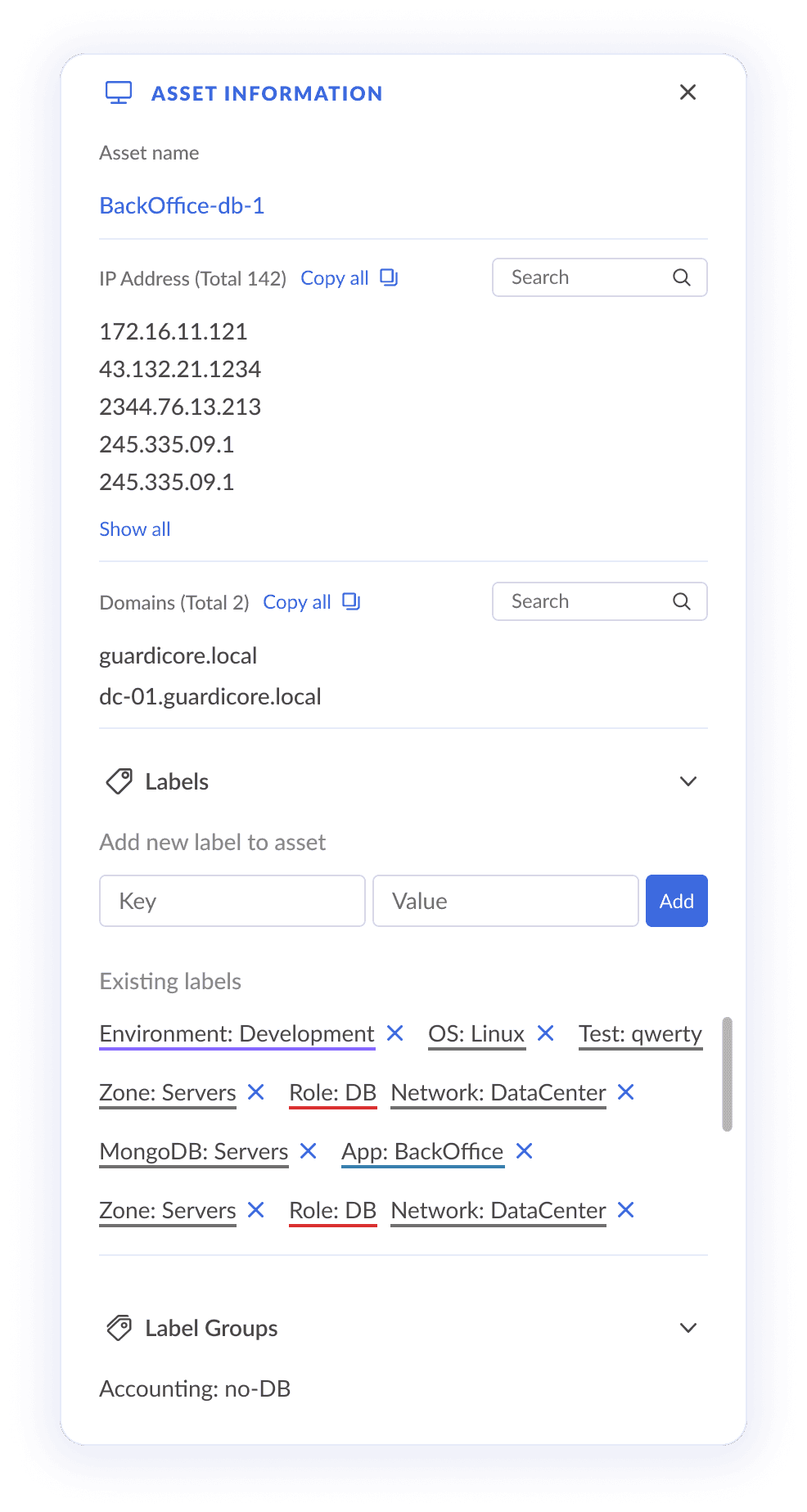
Upgraded side-panel
Upgraded side-panel
The side panel now matches the platform’s updated design system. It’s more flexible and readable, supporting personalized workflows and cleaner information hierarchy.
The side panel now matches the platform’s updated design system. It’s more flexible and readable, supporting personalized workflows and cleaner information hierarchy.
The side panel now matches the platform’s updated design system. It’s more flexible and readable, supporting personalized workflows and cleaner information hierarchy.
Before
After
Legend
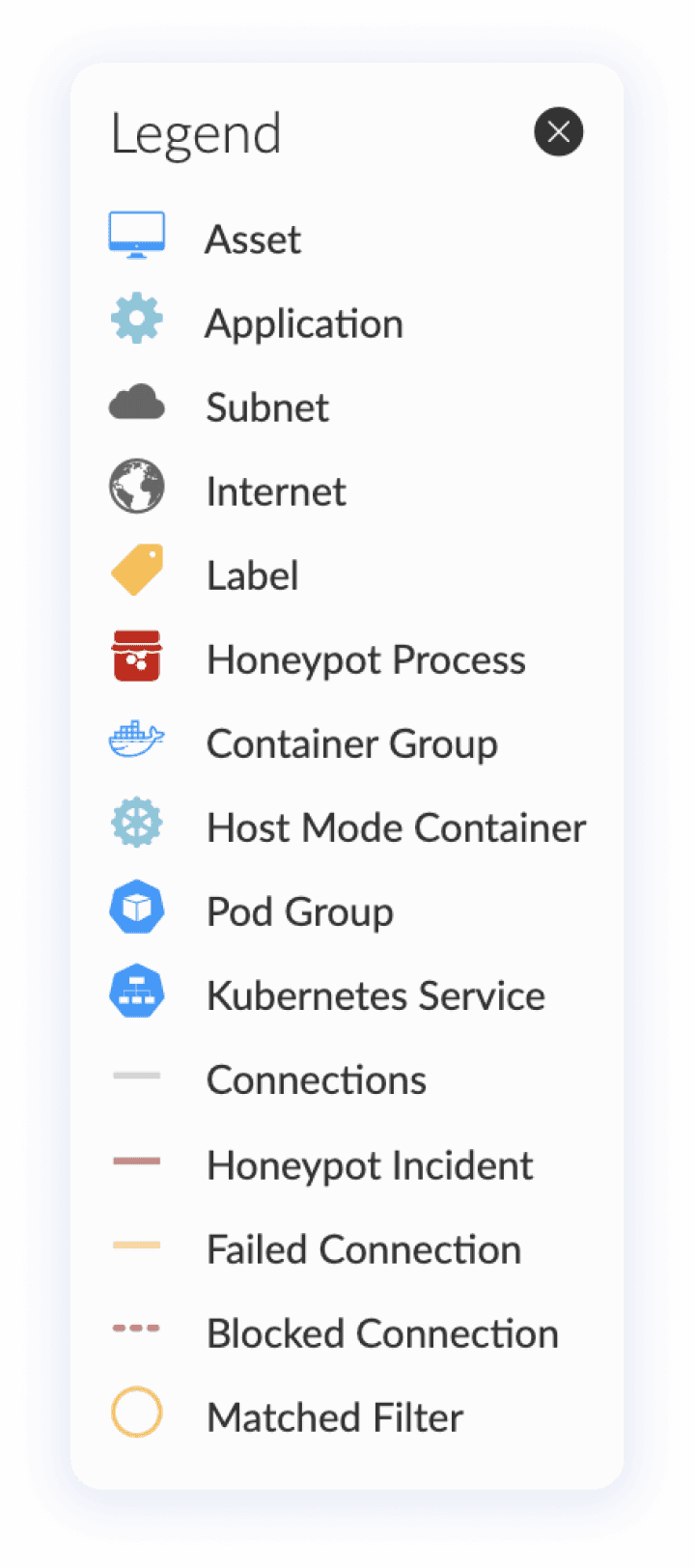
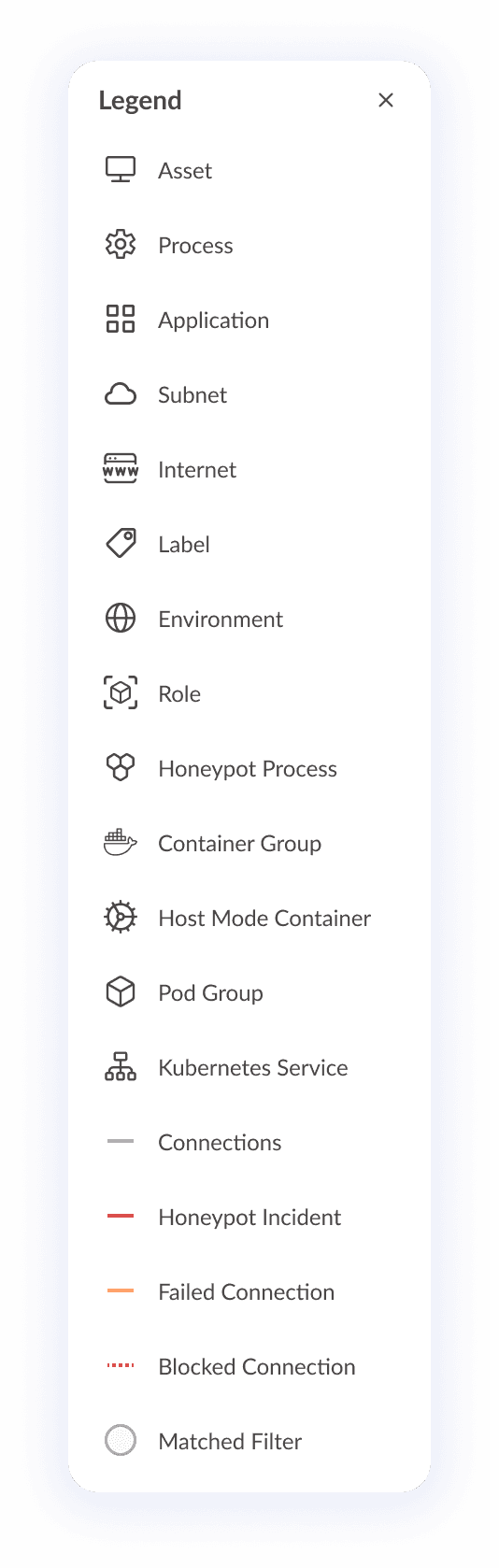
Align the design of the icons to new icon style implemented in the map.
Added a few more icons that were missing from the legend that do exists in the map like: application, Internet, Environment, and Role.
Over all updated the design too design system guidelines and style.
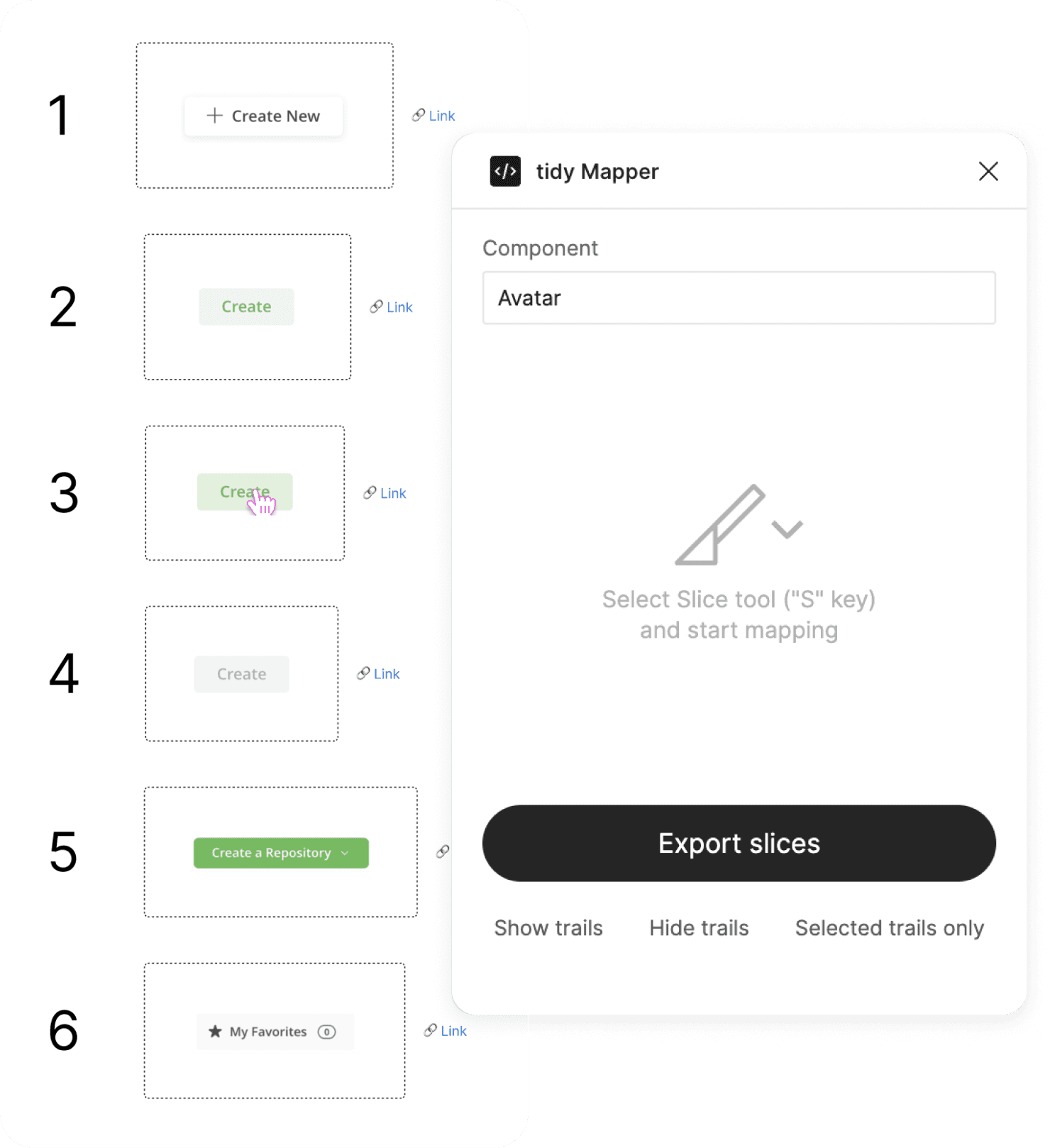
While working inside real product files, I identified recurring pain points in component sources and proposed a focused plugin to remove this friction at the source; I then defined a lightweight flow that captures elements from screenshots and specified behaviors that arrange sampled components, generate consistent links and pages, and standardize usage.
Before
After
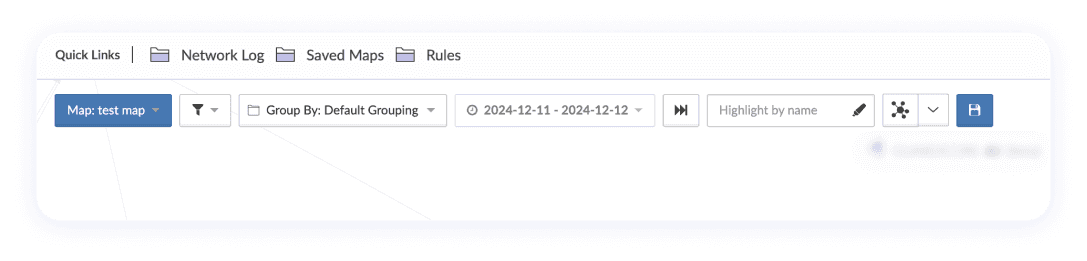
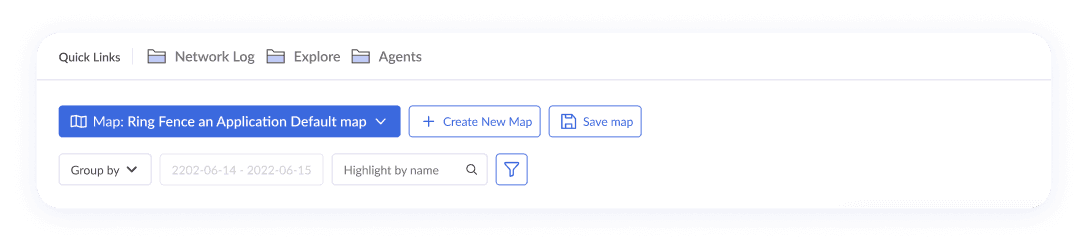
Page Header
Page Header
The new header divides actions clearly into top and bottom sections, improving usability and focus.
The new header divides actions clearly into top and bottom sections, improving usability and focus.
The top line represent primary actions: the map selection dropdown uses a the primary brand color, the save button now has an icon, and the "Create New Map" button is placed directly on the header for quicker access.
The bottom line is reserved for filters and search, organizing key tools logically and separately.
Unused actions like the "Skip forward" icon button were removed.
The top line represent primary actions: the map selection dropdown uses a the primary brand color, the save button now has an icon, and the "Create New Map" button is placed directly on the header for quicker access.
The bottom line is reserved for filters and search, organizing key tools logically and separately.
Unused actions like the "Skip forward" icon button were removed.
The layout button was moved down to the bottom toolbar, grouping related options together and reducing clutter.
Before
After
05
Build‑ready Outcomes
Work paused due to client-side resource shifts and reprioritization. (☹️)
The team delivered a clear path forward end-to-end flows, component specs, and rollout plan
ready for seamless resumption without rework.
Exploring multiple design directions
is valuable.
Exploring multiple design directions
is valuable.
Exploring multiple design directions is valuable.
Interestingly, the design version I thought would be least likely to succeed became the team’s preferred approach and led the project’s ideation and redesign.
Interestingly, the design version I thought would be least likely to succeed became the team’s preferred approach and led the project’s ideation and redesign.
Interestingly, the design version I thought would be least likely to succeed became the team’s preferred approach and led the project’s ideation and redesign.
Continuous communication between designers and developers is key to a successful project.
Continuous communication between designers and developers is key to a successful project.
Continuous communication between designers and developers is key to a successful project.
Iterative feedback loops allow for quick adjustments and improvements.
Iterative feedback loops allow for quick adjustments and improvements.
Iterative feedback loops allow for quick adjustments and improvements.
06
Main reflections